Achieving your academic goals requires proper guidance and a personalized approach.
myPlan is a one-to-one mentoring session designed to provide you with personalized support. During these sessions, your mentor will:
- Help you create a customized study plan based on your needs.
- Address your specific preparation-related questions.
- Offer insights into college or university programs to help you make informed decisions.
These sessions can be conducted offline or online, making them convenient and flexible.
The number of myPlans available to you are dependent on the Variant of the program you are enrolled in.
How to Book a myPlan Session:
Mentor slot open confirmation: Kindly confirm with your mentor that they have opened slots for booking before you start this process. Also make sure that the slots are not already exhausted as other students could have booked them before you. Mentors will communicate this in the class or on your batch WhatsApp groups.
Log in to myIMS
Start by logging into your myIMS portal with your credentials - https://myimsv3.imsindia.com/Navigate to myPage Tab
Go to the myPage tab on the portal and select the myPlan option as shown below.
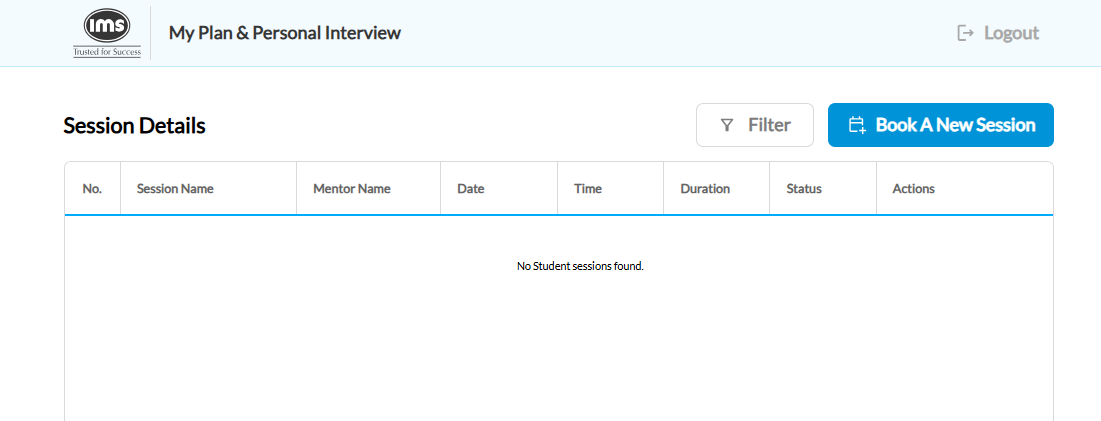
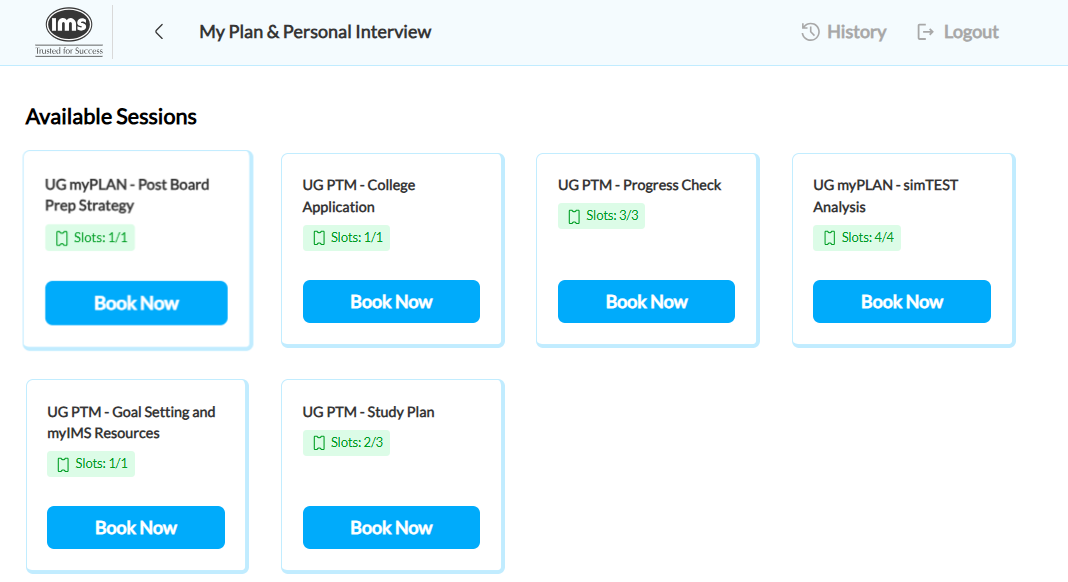
Steps to Book a Session on the MyPlan Portal
1. Click on the “ MyPlan ” tab.
A new tab will open in your browser, so please ensure that pop-ups are enabled .
2. Click on “ Update Your Profile .”
Fill in all the required details and complete your profile.
3. Click on “ Book A New Session .”
5. Select your "preferred Session Type" and click on “ Book Now .”
6. Choose the " Mentor " who has opened a slot and click on “ Book Now. ”
7. Select the "Mode (Online / Offline)" as per availability.
8. Choose the " Date and Time " for the session.
9. Click on “ Confirm Booking.”
10. Answer the questions displayed on the next page and click on “ Submit .”
11. Finally, review the session details and click on “ Confirm Booking .”
10. Once the booking is done, you will receive a confirmation message on WhatsApp.
PS - You can join the virtual myplan session via the myims portal or check your Google Calander for the Google Meet Link.
Don’t miss out on the opportunity to gain this personalized mentorship and clarity. Book your myPlan session today to supercharge your preparation journey!
Rate this article below and let us know how we can improve
Was this article helpful?
That’s Great!
Thank you for your feedback
Sorry! We couldn't be helpful
Thank you for your feedback
Feedback sent
We appreciate your effort and will try to fix the article