The Bookmark option under the MyPage section is specifically designed for Pre-Class videos available under the Prepare Tab > Module section. Once you bookmark any Pre-Class video from this section, it will automatically be saved and reflected under the Bookmark tab, allowing you quick and easy access at your convenience.
In addition to this, for Proctored SimCATs, we have provided a question-level bookmark option. This feature allows students to bookmark specific questions during the test—particularly useful if you have doubts or would like to revisit certain questions later.
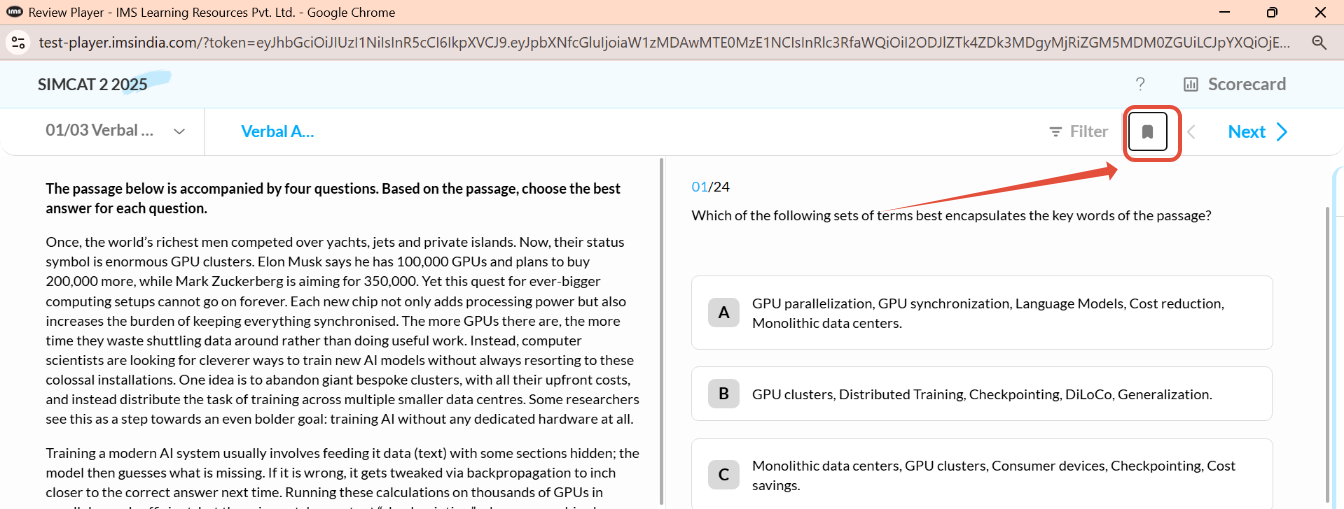
To access these bookmarked questions, you can go to the 'Review' section available under both Proctored and Pre-SimCATs. Once you click on 'Review,' a new test window will open where you can revisit all your previously attempted Proctored SimCATs.
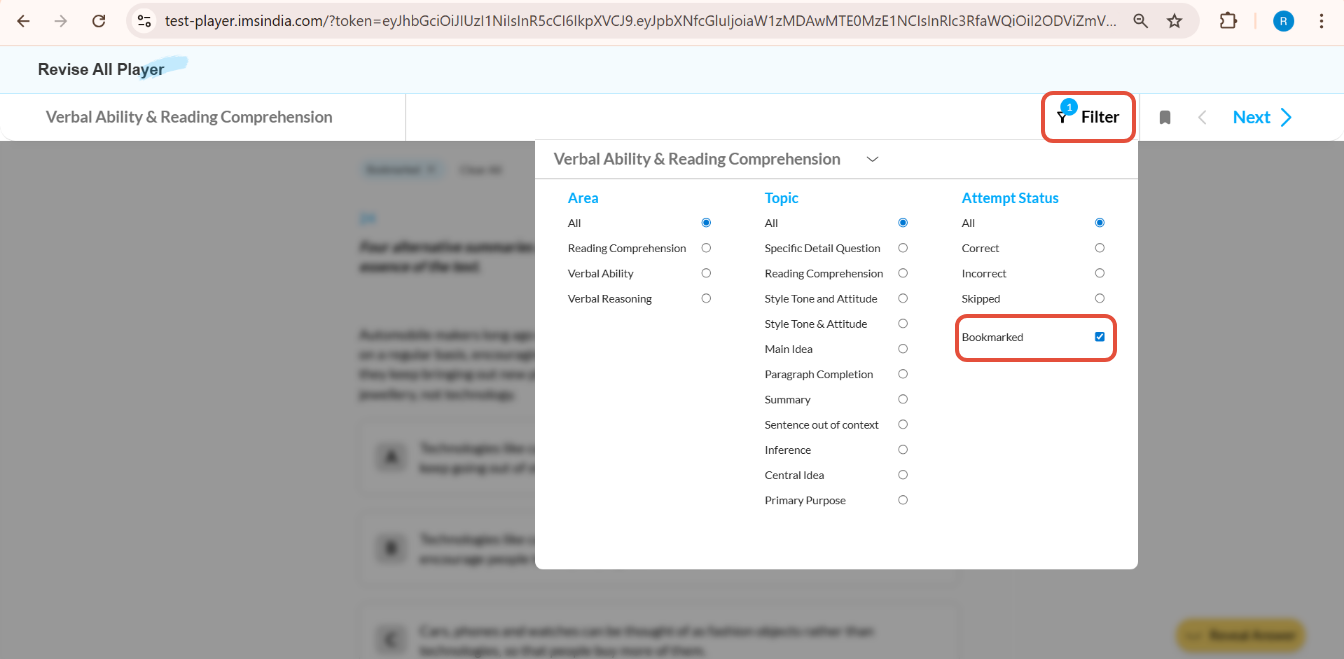
To filter and view only the bookmarked questions:
- Click on the 'Filter' option within the test window.
- Select 'Bookmarked Questions' from the filter menu.
This will display all the questions you had bookmarked during the test, making it easier for you to revise and focus on your areas of doubt.
Rate this article below and let us know how we can improve.
Was this article helpful?
That’s Great!
Thank you for your feedback
Sorry! We couldn't be helpful
Thank you for your feedback
Feedback sent
We appreciate your effort and will try to fix the article